Email Verifications Workflow
Email verification (also known as email validation) is the process of verifying whether an email address is active, inactive, or invalid.
In this method, a message is sent to the consumer’s email when an account is created or updated with that email. This particular email message contains a unique link/otp. This link/otp will help in the email verification of the user. Once the user clicks on the link, the particular account/update automatically gets approved. This entire process is called email verification flow, and verification to this degree helps in the improvement of the security of an email account.
Types of email verification
LoginRadius offers multiple options for email verification that you can choose based on your specific business requirements.
The following are the email verification workflows provided by LoginRadius:
-
Mandatory Email Verification: In this case, the consumer can log in to the account only after the email verification. Upon completing registration, a verification email is sent to the consumer. This email includes a verification link. To verify the email, the consumer will have to click on the verification link.

-
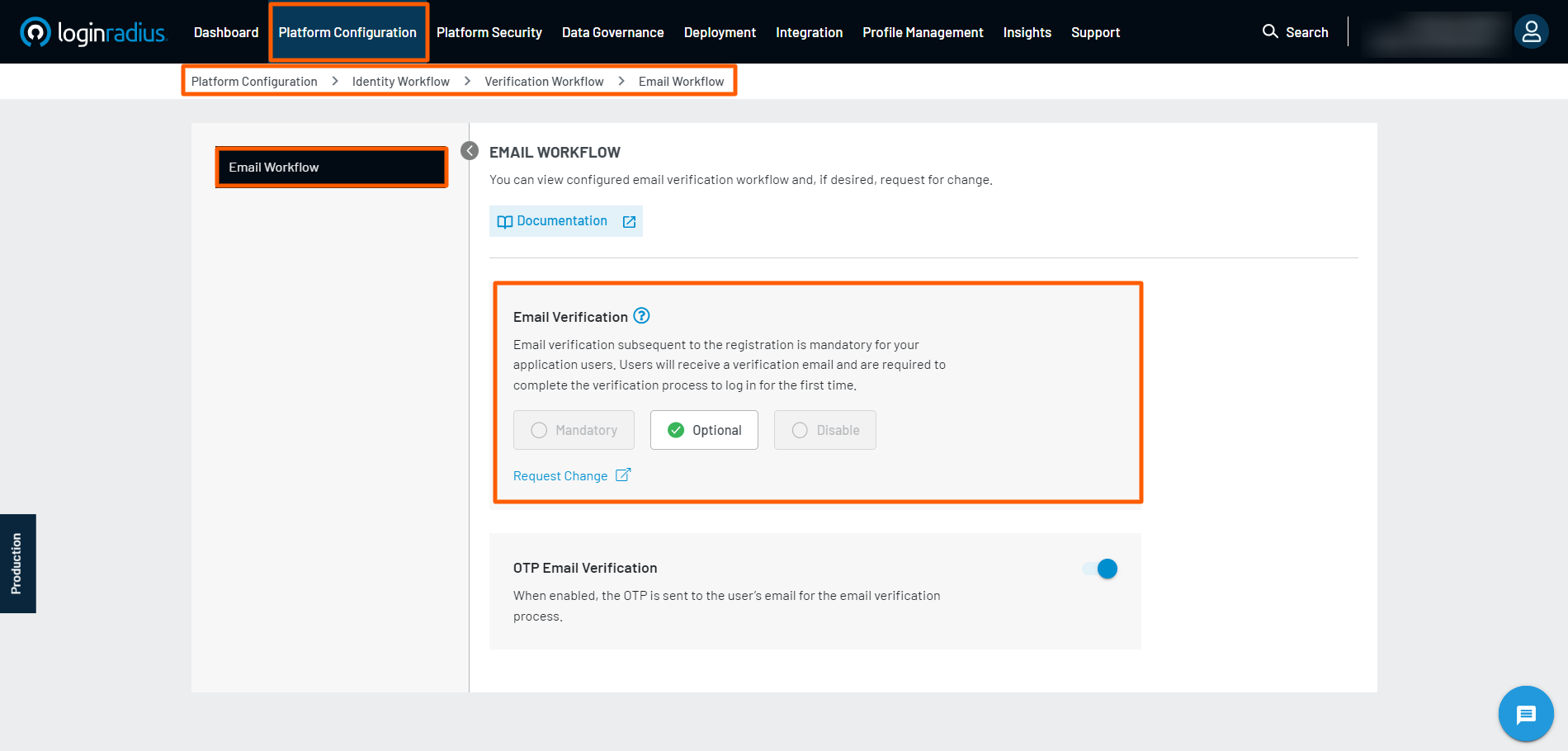
Optional Email Verification: Upon completing registration, a verification email is sent to the consumer. However, the consumer can log in to the account without the email verification, i.e. it is up to the consumer to verify the email or not.
-
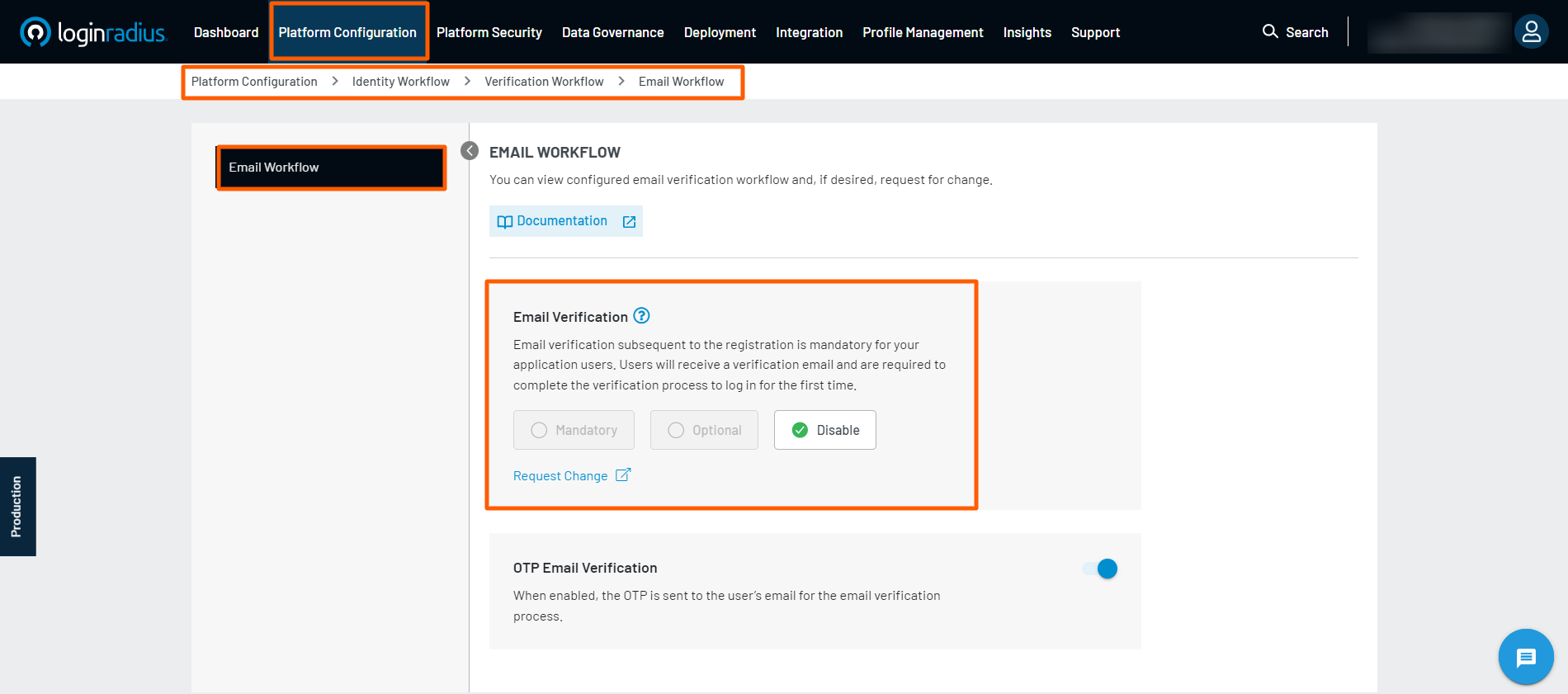
No Email Verification: Upon completing registration, no verification email is sent to the consumer. The consumer can log in to the account without any verification.
Note:
- You can choose to enable only one of the email verification workflows i.e. Mandatory, Optional, or No email verification.
- The current email verification flow enabled for your account is displayed by corresponding active checked button under the Email Workflow section of the Admin Console. To change the email verification workflow for your account, you can raise a request to the LoginRadius Support Team.
Importance of verified Email
- A verified email is a verified person behind the email. It prevents some simple bots.
- A verified email can reduce a person's frustration if the email was typed wrong. If a user joined some music service, made a bunch of playlists, and then logged out and forgot the password. It would be helpful if they could reset their password properly.
- A verified email is a higher value for marketing purposes. You know that the email is not fake and is a dead end. You can analyze the consumer’s habits and target them specifically based on their browsing habits.
- A verified email allows you to contact a person about security breaches or other important site issues, or site announcements.
- A verified email prevents abuse. I constantly receive spam and information from sites I never signed up for because several people with my name either sign up for services and mistype their email address, or they're signing up for some random hook-up site that doesn't require a verification (for obvious reasons). If these sites verified emails, I would get an email asking for verification and promptly ignore it.
- Eliminate hard bounces. It mostly occurs because the email address no longer exists, was a fictitious email address, or was closed by the user.
- Reduces Spam Complaints. It is a best practice that dictates that for every 5,000 email messages sent out, you should receive less than five spam complaints.
- Blacklisted stop your messages (including vital transactional emails) from getting accepted by the server.
Impact of changing flows
Mandatory to Optional
We have Mandatory email verification enabled, we would like to know the impact of enabling "Optional email verification": On enabling the Optional Email Verification flow, users will be able to login to your site without verifying the email. The users created before enabling this flow and having an unverified email address will also be able to log in with the optional verification flow.
Mandatory to No email verification
We have Mandatory email verification enabled, we would like to know the impact of enabling "No email verification": On enabling the No Email Verification flow, users will not receive the verification email, and they can directly login to your site without verifying their email. The users created before enabling this flow and having an un-verified email address will not have any issue in login.
Note: The Multi-Factor Authentication (MFA) feature will not be visible in the Admin Console in the case when the email verification from is changed from Mandatory to either Optional or No Email Verification flow.
Optional to Mandatory email verification
We have Optional email verification enabled, we would like to know the impact of enabling "mandatory email verification": On enabling the Mandatory email verification flow, the user has to verify the email first with the help of a verification email sent to them, then only they will be able to login to your site.The users created before enabling this flow and having an unverified email address will not be able login after the Mandatory verification flow is enabled.
Example: When the old user tries to login after chagning the Optional flow to Mandatory Email Verification flow , they will receive the message that their email is not verified, and a verification mail will be sent on their registered email address. From there, they can verify the email and can login easily.
Exact error message:

Optional to No email verification
We have Optional email verification enabled, we would like to know the impact of enabling "no email verification": On enabling the No Email Verification flow, users will not receive the verification email, and they can directly login to your site without verifying their email. The users created before enabling this flow and having an un-verified email address will not have any issue in login since there is no need for email verification with this flow, as it was an optional flow before this. So, there will be no impact on existing users.
No email verification to Mandatory email verification
We have No Email verification enabled, we would like to know the impact of enabling "mandatory email verification": On enabling the Mandatory email verification flow, users will receive the verification email, and once they verify it, then only they will be able to login.The users created before enabling this flow and having an unverified email address will not be able to login until they verify there email. So, this will impact the existing users as they have to verify the email.
Example: When the old user tries to login after the mandatory email verification flow is enabled, they will receive the message that their email is not verified, and verification mail will be sent on their registered email id. From there, they can verify the email and can login easily
Exact error message:
No email verification to Optional email verification
We have No Email verification enabled, we would like to know the impact of enabling "optional email verification": On enabling Optional Email Verification flow, users will be able to login without verifying the email. The users created before enabling this flow and having an unverified email address will be able to login after the optional verification flow is enabled.
Note: You can filter the accounts based on the email verification status from the Verified field in the consumer profile.
OTP Email Verification
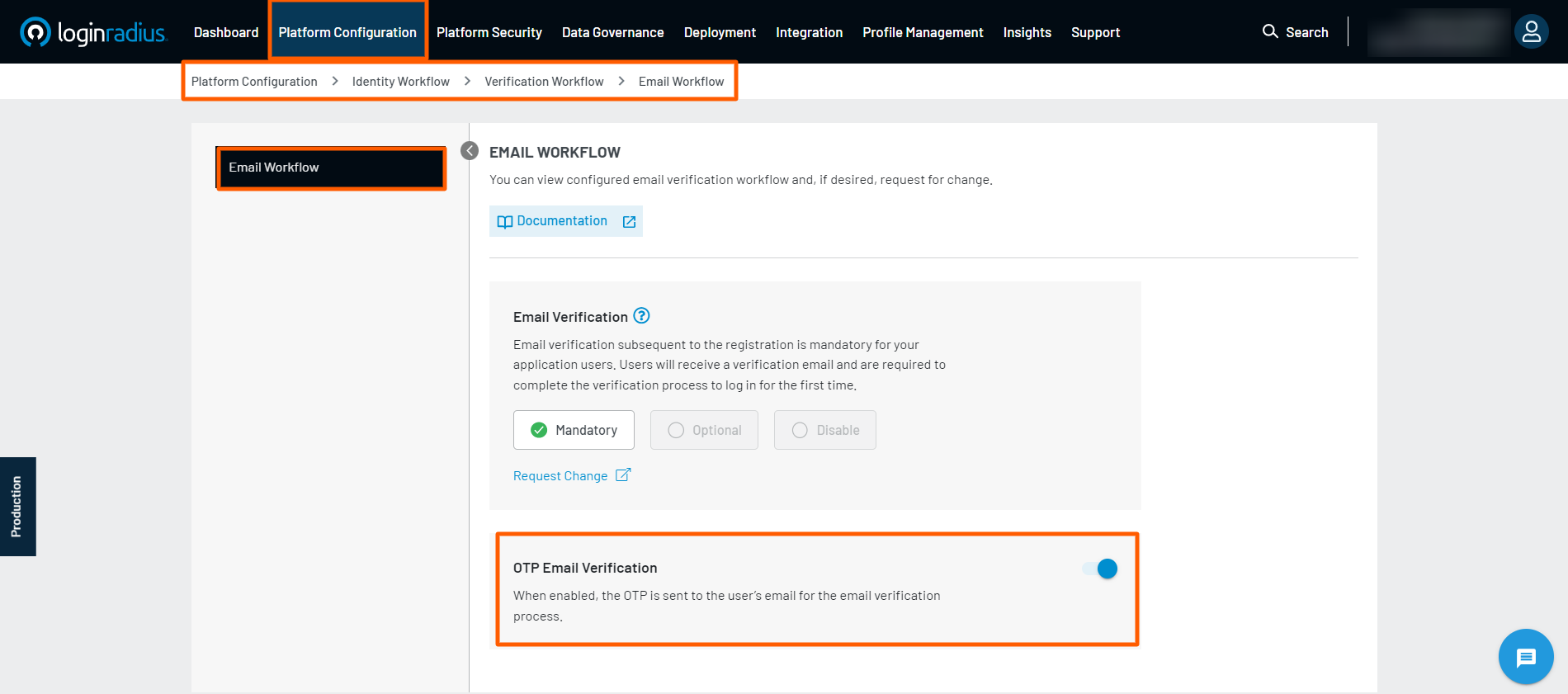
If you want to send an OTP instead of a verification token for the email verification process. In that case, you can enable the OTP Email Verification flow by navigate to Platform Configuration > Identity Workflow > Verification Workflow > Email Workflow in the Admin Console and clicking the associated toggle button highlighted in the image below.
These settings act as a global setting. However, you can still independently change the Token Type for the Verification Email, Forgot Password Email, and Delete Account Email. For more information regarding Token Type, kindly refer to the Email Template Management document.
Note: In the case of OTP Email Verification flow, you need to make the following changes so that the link received in the email works for the customer:
- Pass verifyEmailByOTP option true using the common option, this is mandatory as shown in the following code:
commonOptions.verifyEmailByOTP = true;- For example the verification email template should be modified in such a way that the verification link should contain the user email in the query string as shown in the following example code for verification email:
#Url#?vtype=emailverification&vtoken=#GUID#Once the above changes are implemented the link received in the email will work and verify the user.
Next Step
The following is the list of features you might want to add-on to the above implementation: