Customer Query
The Customer Query feature allows you to filter customers based on the profile fields and applying queries using the AND/OR logical operators.
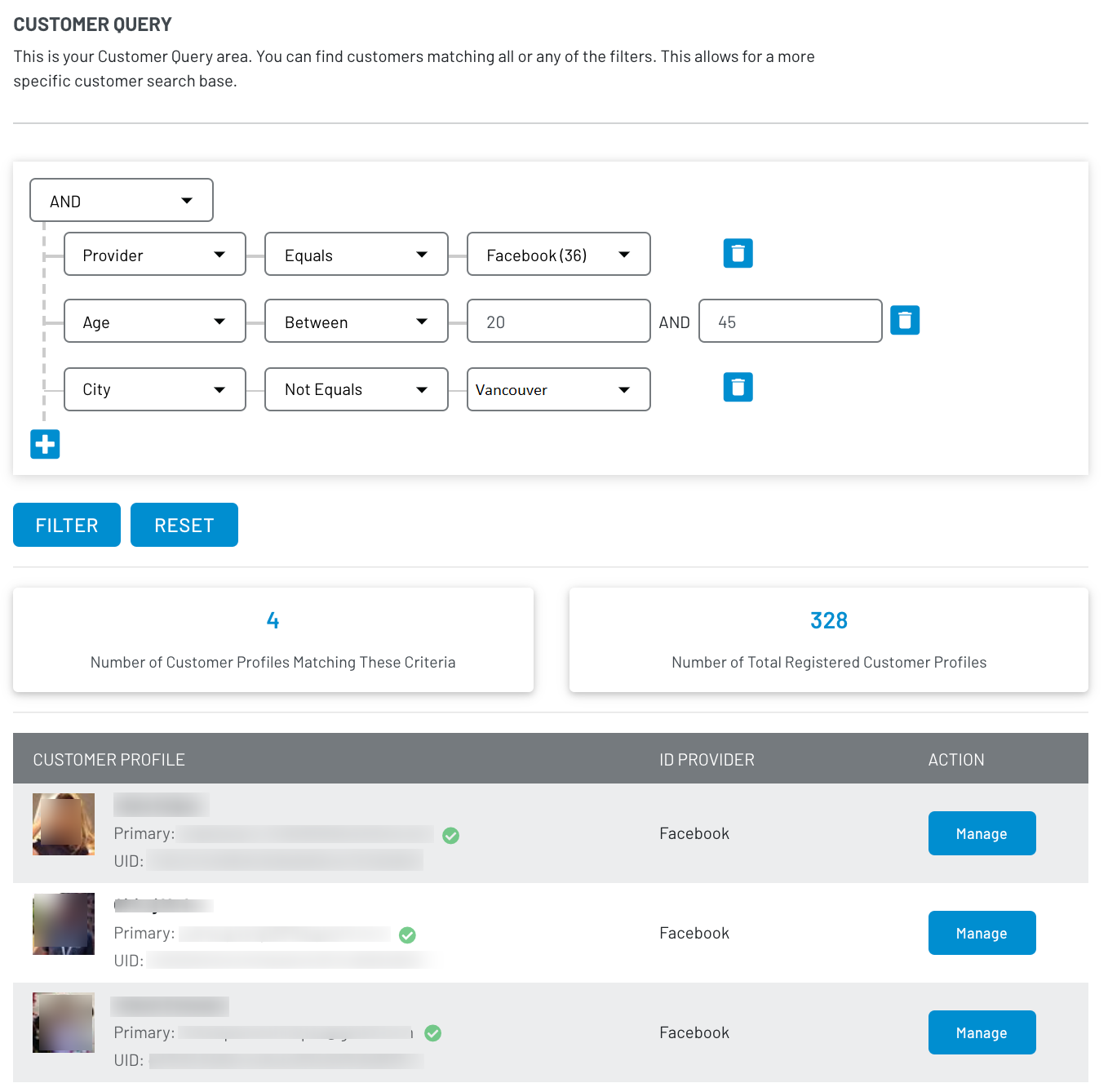
For example, you can filter for a list of customers who are between the ages of 20 and 45, based in Vancouver, and using Facebook to log in. You can do this by creating queries using the Age, City, and Provider fields.
The following explains how you can create a customer data query:
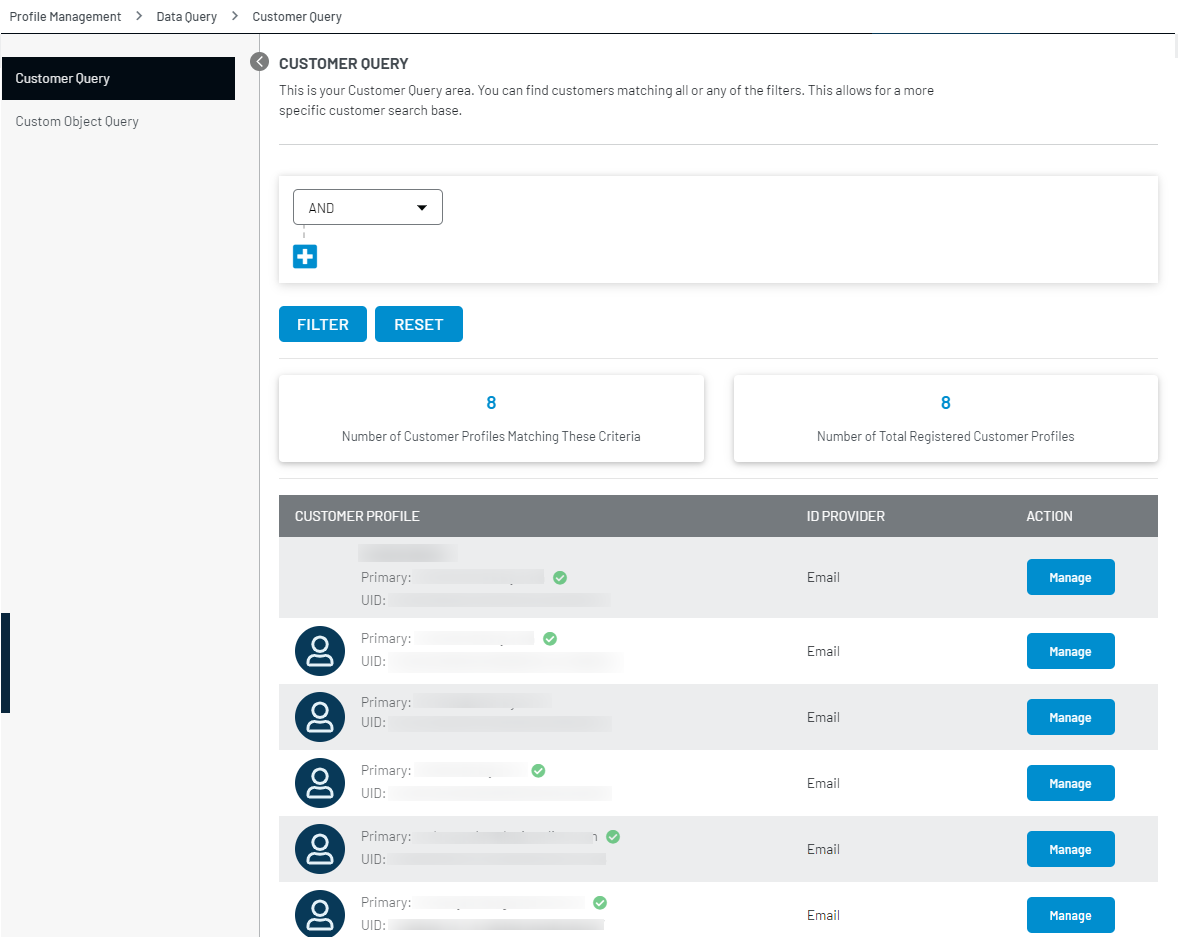
Step 1: Log in to your Admin Console account and navigate to Profile Management > Data Query.
The following screen will appear:
Step 2: Select the desired condition from the drop-down (And/OR) and click the + icon, the Rule and Operator selectors appears on the screen as displayed below:
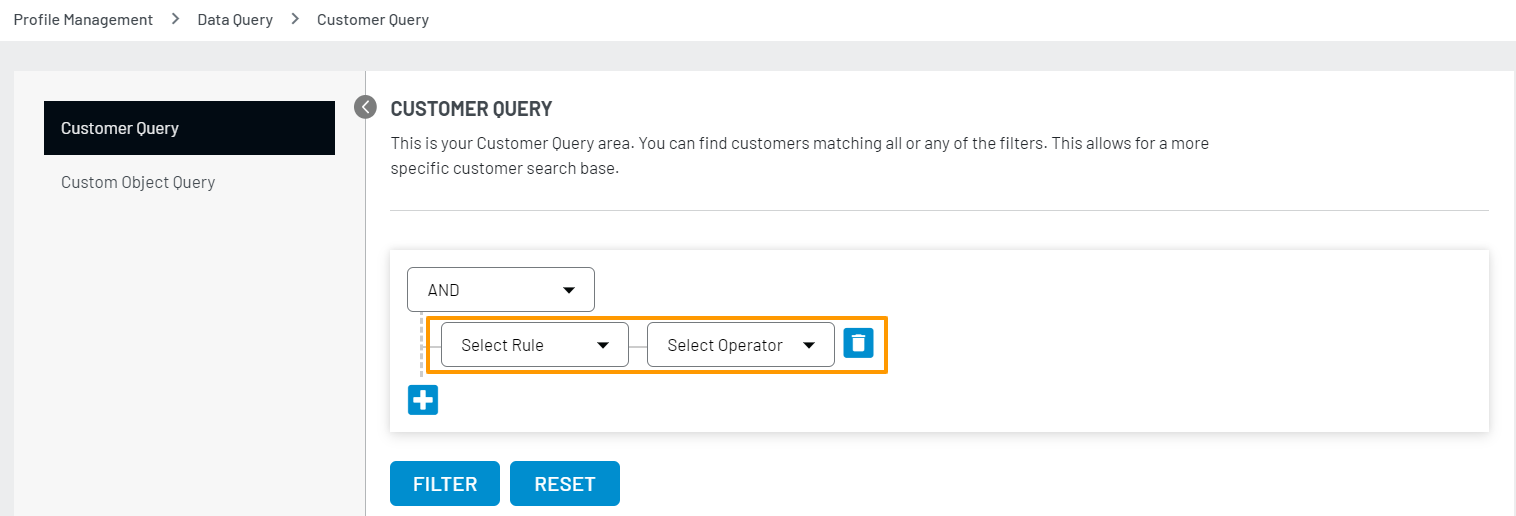
The selected And or OR logical operator is applied to the conditions created in step-3.
Step 3: Select the Rule, and the further conditions populate accordingly on the screen. Select the options as per your requirements.
Similarly, you can add multiple conditions by clicking the + icon.
Step 4: Once you are done with adding the condition(s), click the filter button to view the results. The following screen displays an applied filter and results: