Blocked Customers
The Blocked Customers screen displays the list of blocked customers from logging into your application.
The following explains how you can search and manage the blocked customers in your account:
Step 1: Navigate to Profile Management > Customer Management > Blocked Customers, and the following screen will appear with the list of your blocked customers:
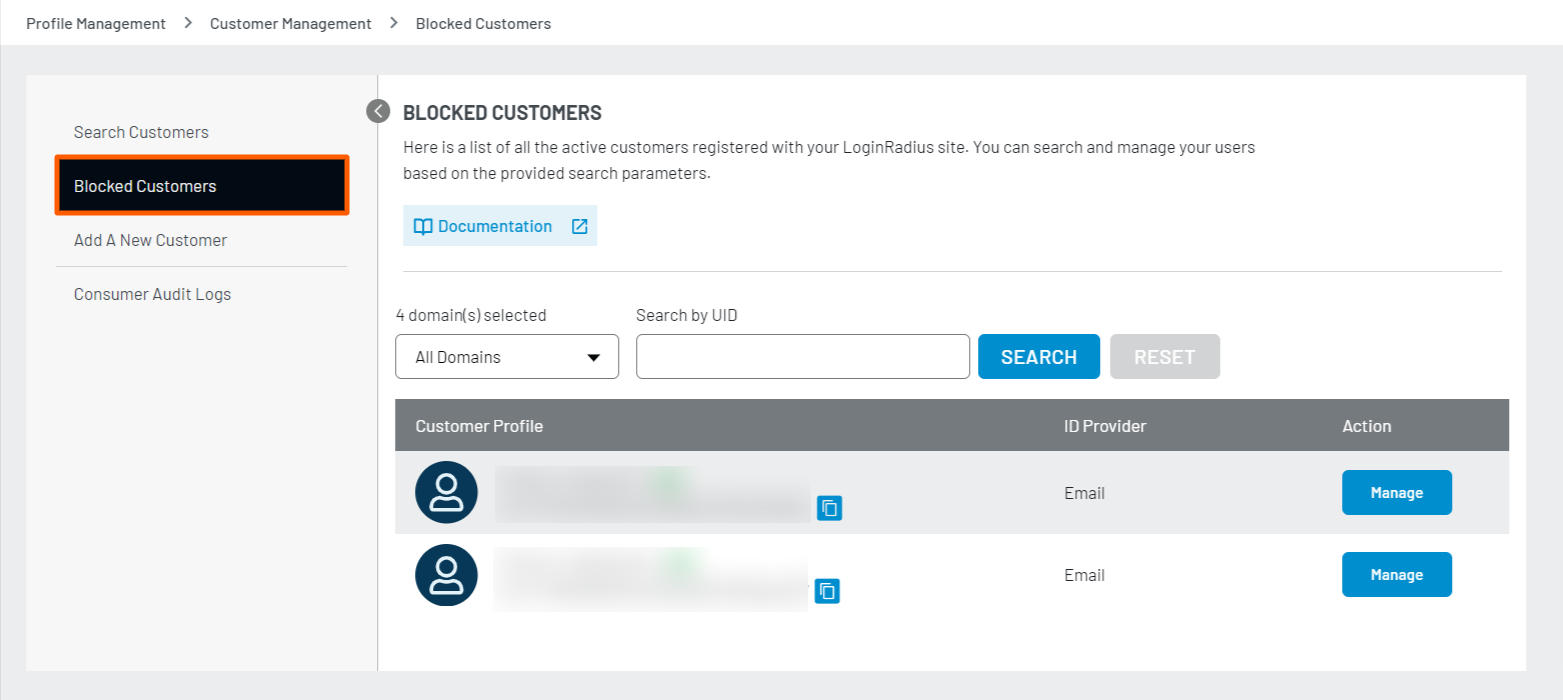
Step 2: To search for the blocked customer, the following are the available search parameters:
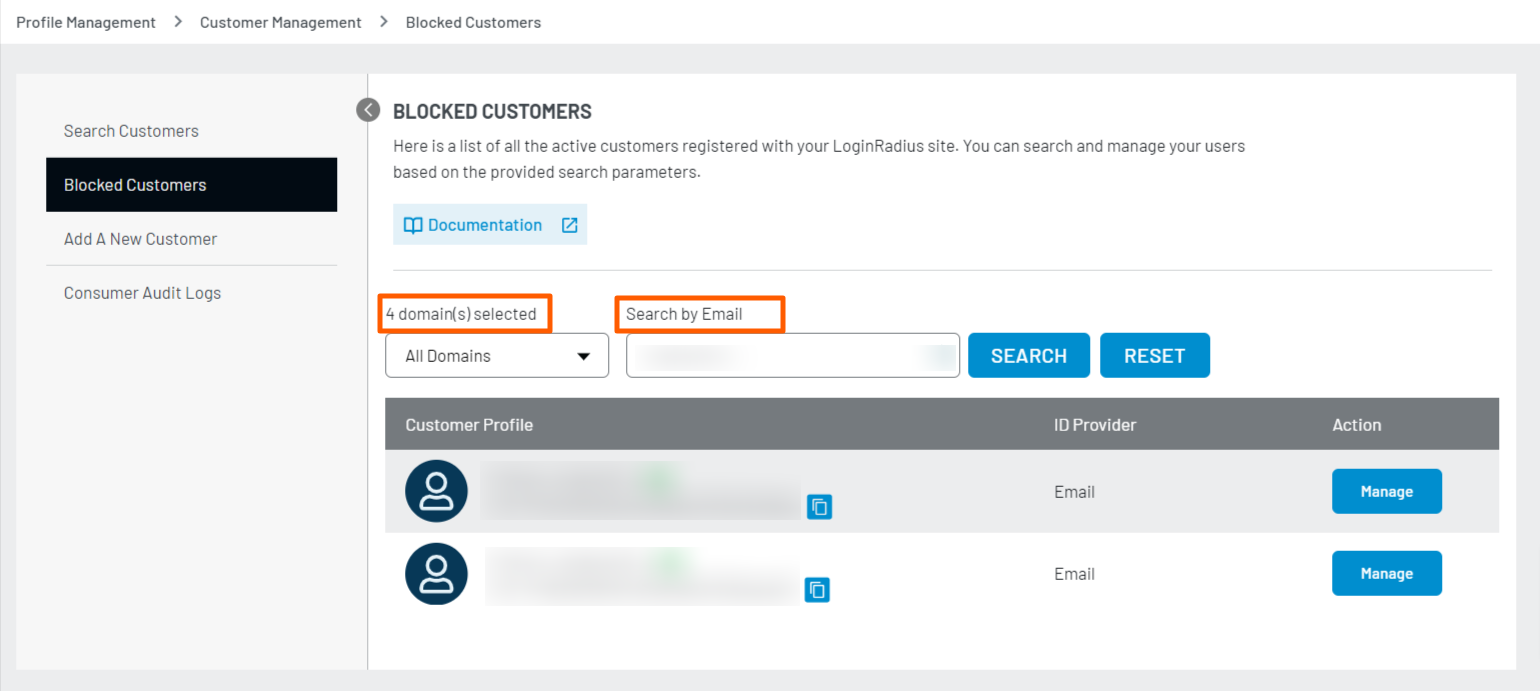
- Domain: This dropdown lists the domains from where the customers are registered to your application.
- Fields: You can also search for customers using the email address or UID fields in the provided textbox.
The following screen displays the search result displayed based on the applied search parameters:
Step 3: To manage the blocked customer, click the Manage button from the above screen. The customer profile pop-up will appear:
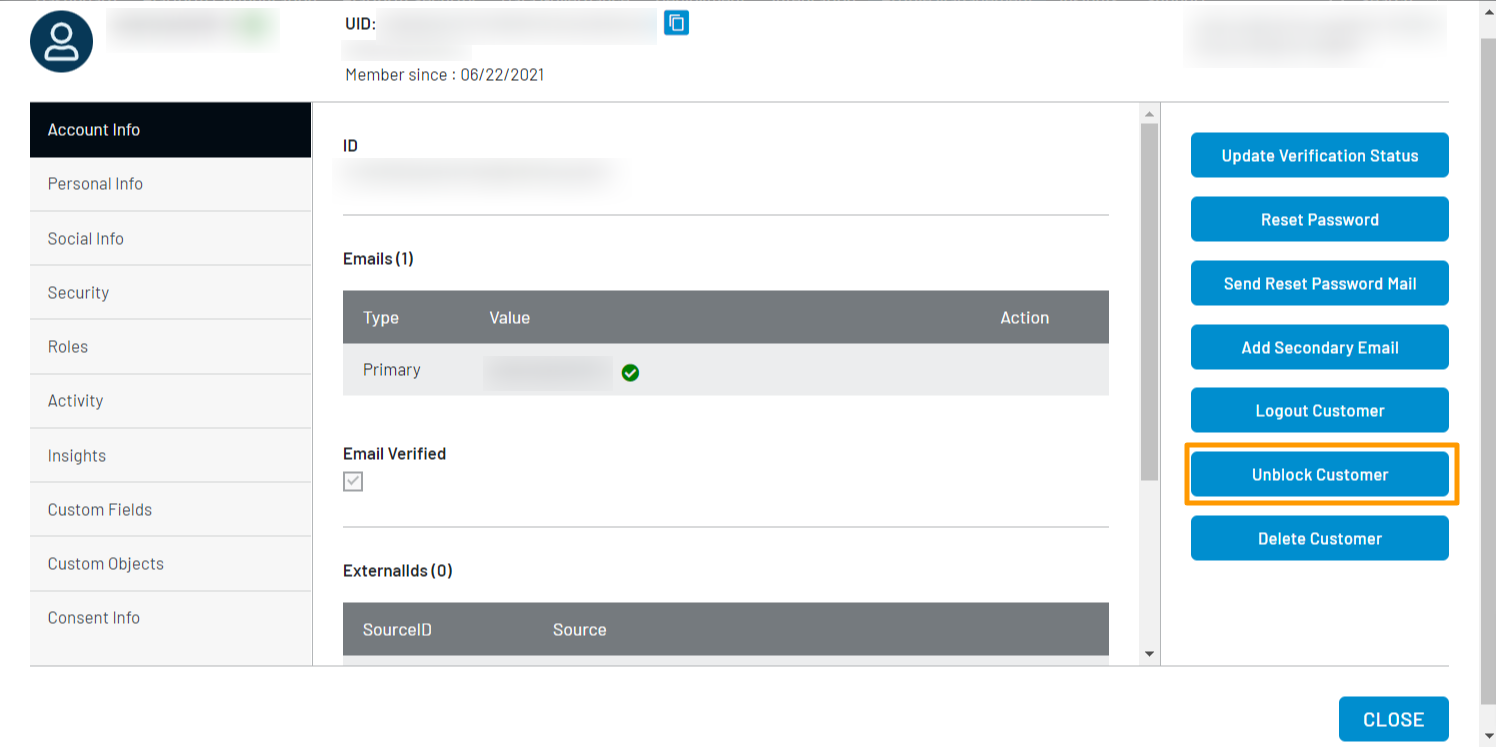
Step 4: To Unblock the customer, click the Unblock Customer button from the right section of the screen, as highlighted in the following screen:
Notes:
- You block the customers from LoginRadius Admin Console, or they get blocked on reaching the maximum wrong login attempts if configured in the Brute Force Lockout feature.
- You can also unblock customers by using Auth Unlock Account by Access Token API.