Add a New Customer
This guide will help you to add a new customer via LoginRadius Identity Platform. You can manually add customers through the LoginRadius Identity Platform. This is a quick and useful way to help your customers requiring assistance with the registration process.
The following explains how you can add a new customer to your application:
Step 1: Navigate to Profile Management > Customer Management > Add A New Customer, and the following screen will appear:
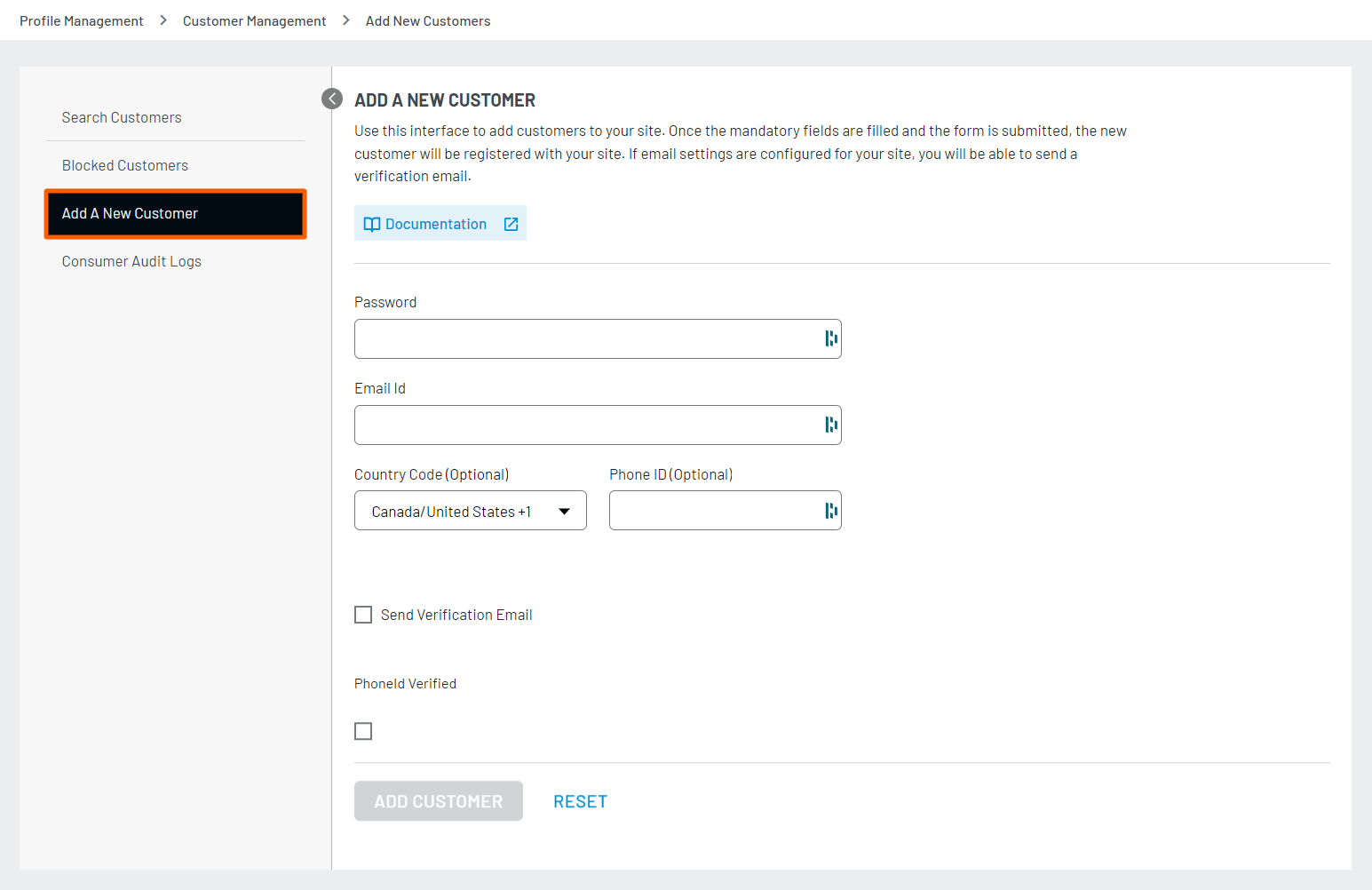
Note: The registration fields displayed in the above screen are based on the registration form schema configuration. For more details on registration field configuration, refer to this document.
Step 2: Enter the required details and click the Add Customer button, as highlighted in the following screen:
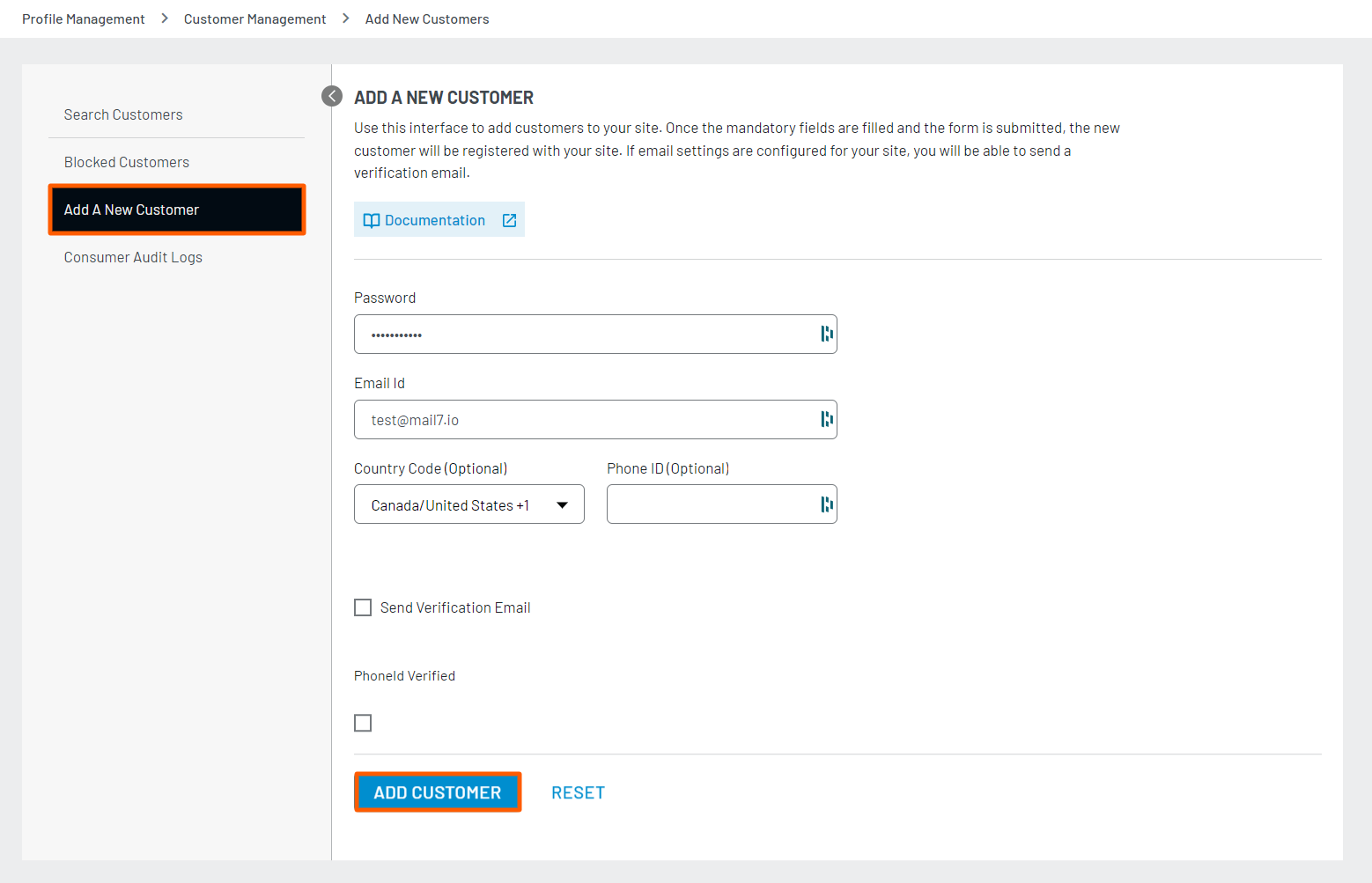
Note: You can also add a new customer by using Auth User Registration by Email API, which creates a customer in the database and sends a verification email to the customer.