Configure social data settings
How do I configure social data settings?
You are provided with the basic data of customers who are registered using a social account. You can request additional data points by enabling Extended Data permission. Please see https://www.loginradius.com/datapoints/ for datapoints collected under Basic and Extended data permissions.
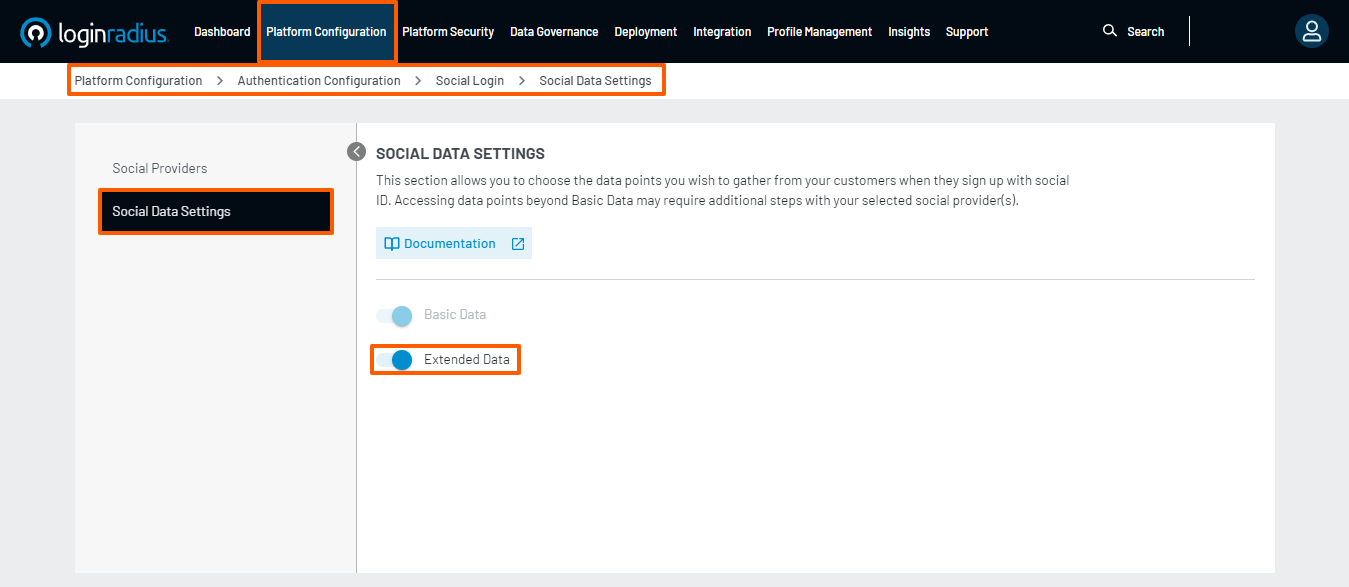
Step 1. Navigate to Platform Configuration > Authentication Configuration > Social Login > Social Data Settings.
The following screen will appear, where the Basic Data option is enabled by default:

Step 2. Click the Extended Data switch to enable extended data points.
Note: Accessing data points beyond Basic Data may require additional steps with your selected social provider(s).